|

Annotate · Train · Publish · Work 10x faster

HOT
NEW

Intelligent Image & Video Prompt Reverse Engineer

v1.2.4 · Windows · 12GB+ VRAM required

An AI-powered image and video annotation tool. Optimized for model training annotation, it batch-generates high-quality training datasets and quickly reverse-engineers prompts from images and videos.

  • Subject filtering system
  • Image and video tagging
  • Batch processing

Tutu Video Publisher

v1.2.7 · Windows

Publish to major social platforms in one click. AI automatically completes titles, tags, and descriptions on a pay-as-you-go basis; all other publishing features are completely free.

  • One-click publishing to eight platforms
  • AI content autocomplete
  • Publishing features always free
Intelligent Image & Video Prompt Reverse Engineer

Turn image and video assets into reusable prompts

A professional workstation for AI image generation, AI video, asset breakdown, model training, and prompt reuse.

Now Showing

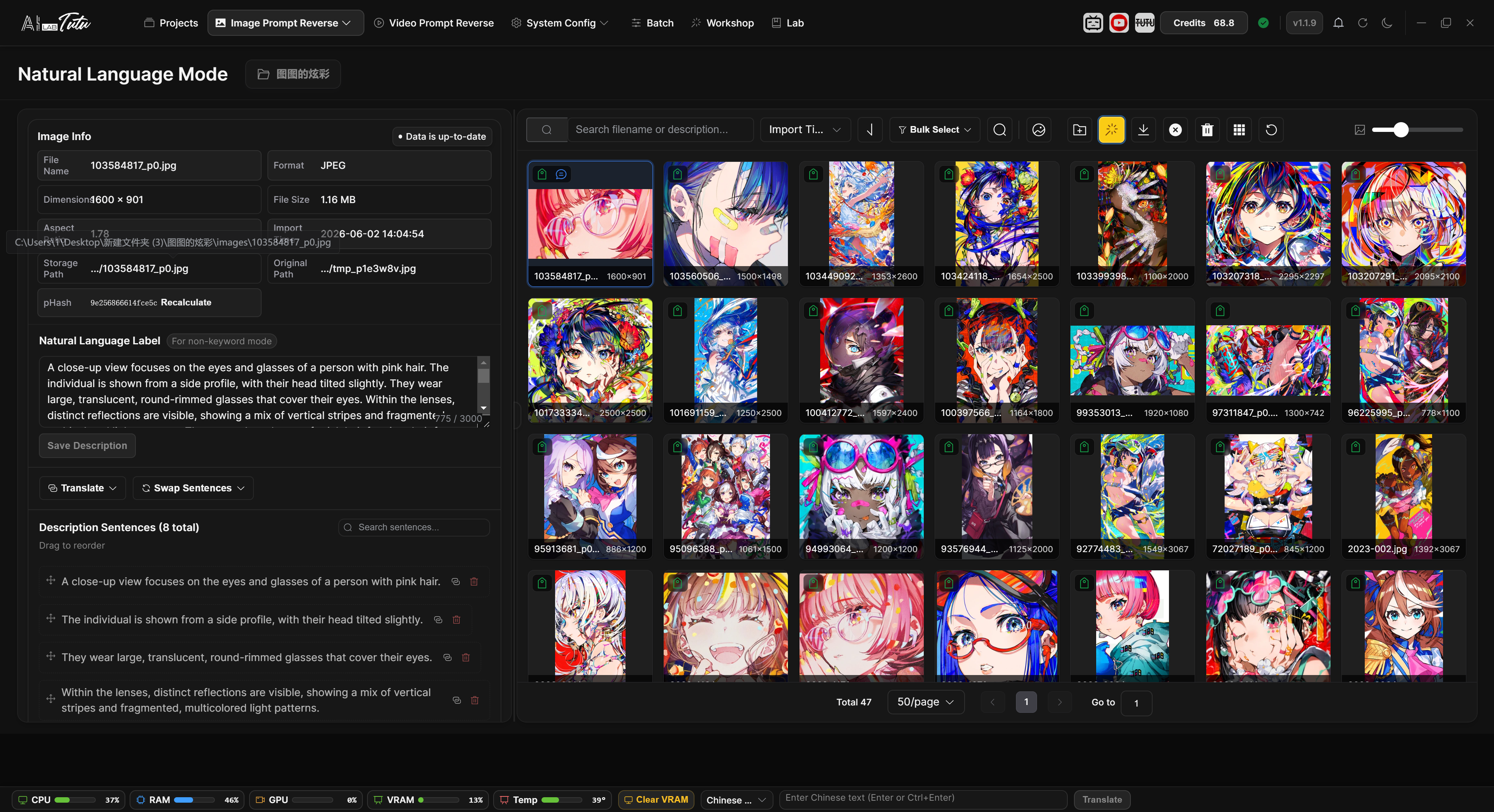
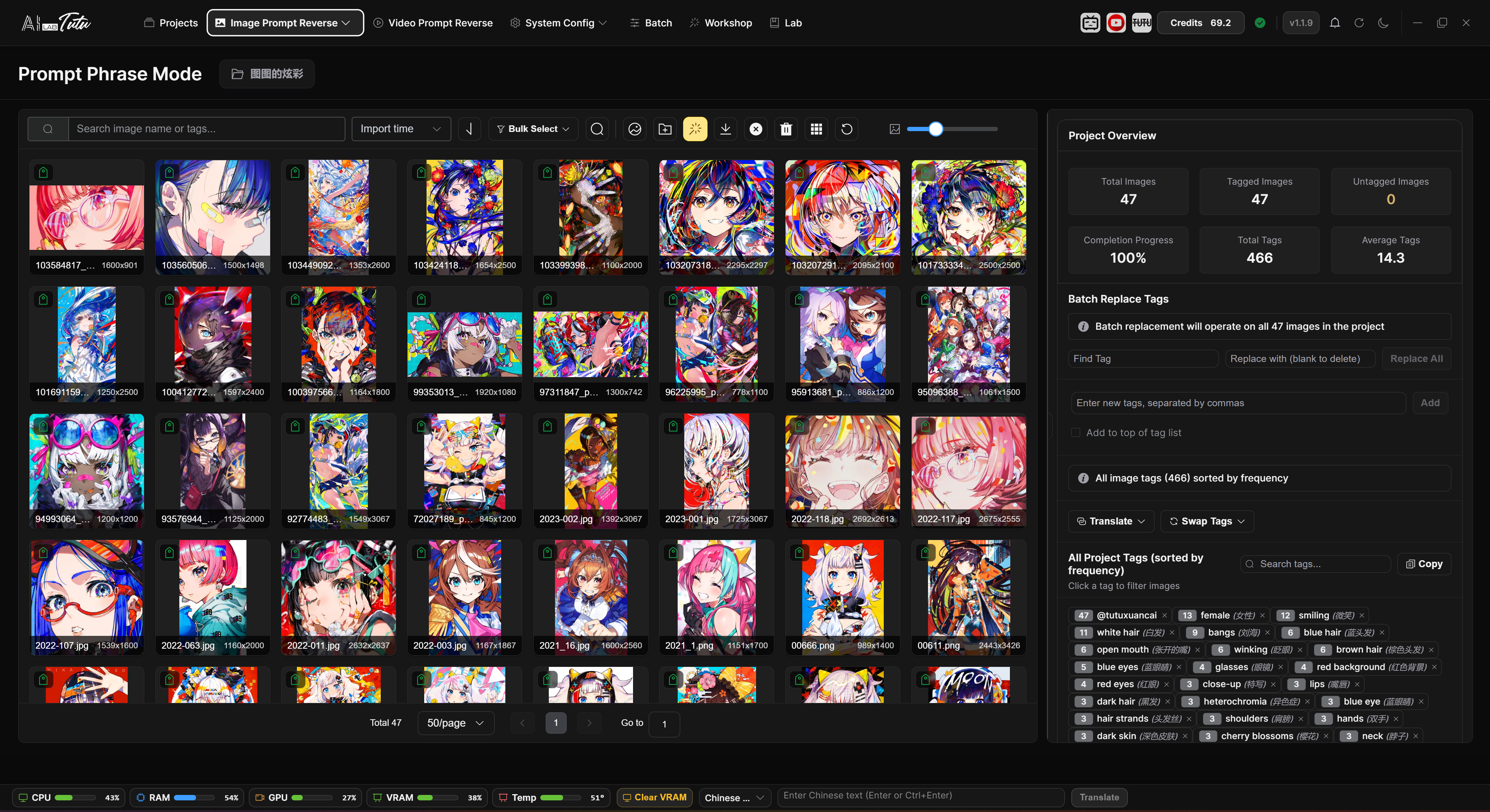
Phrase Mode

Batch reverse-engineer asset prompts in phrase mode and batch-edit the generated results.

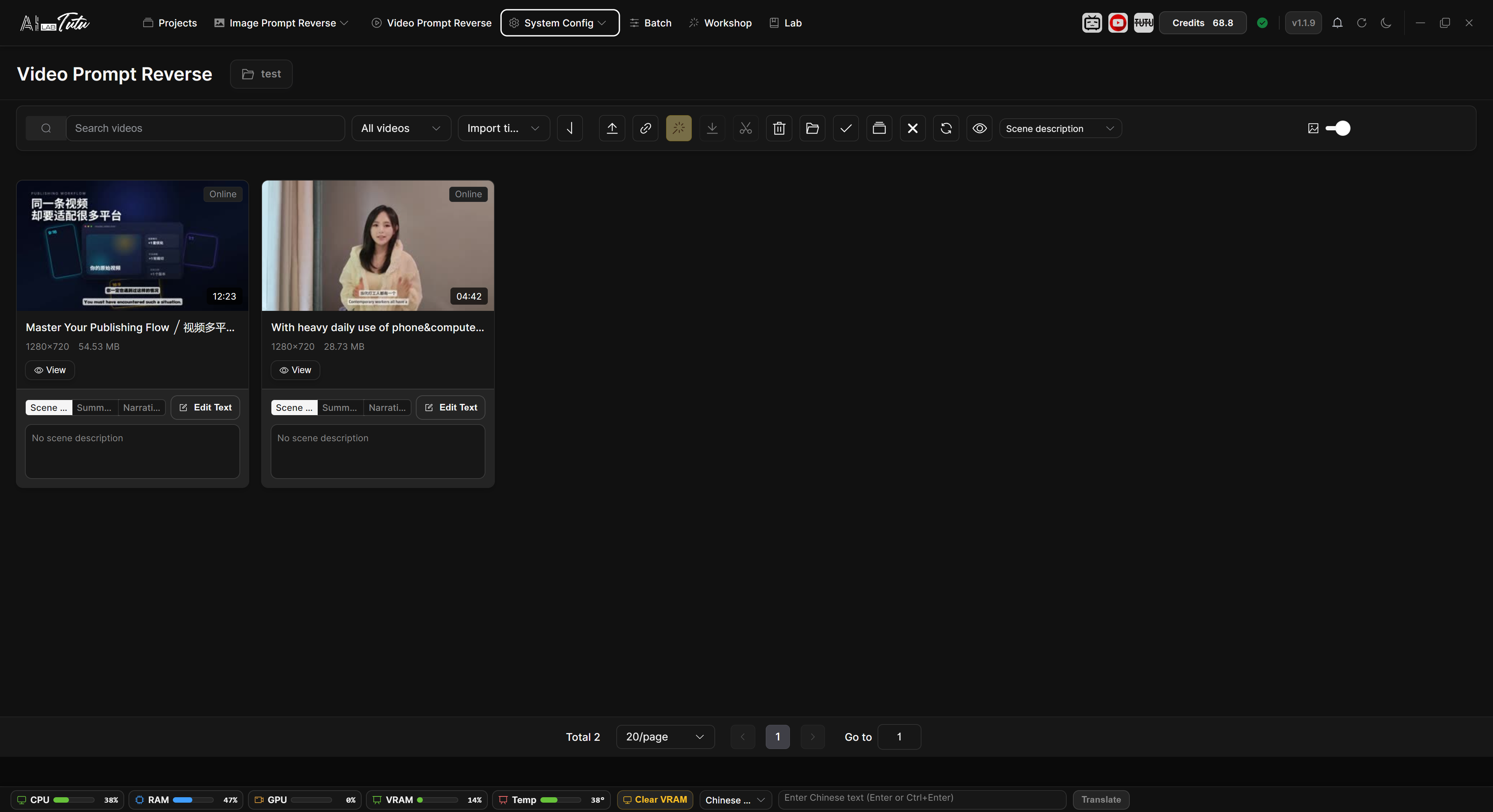
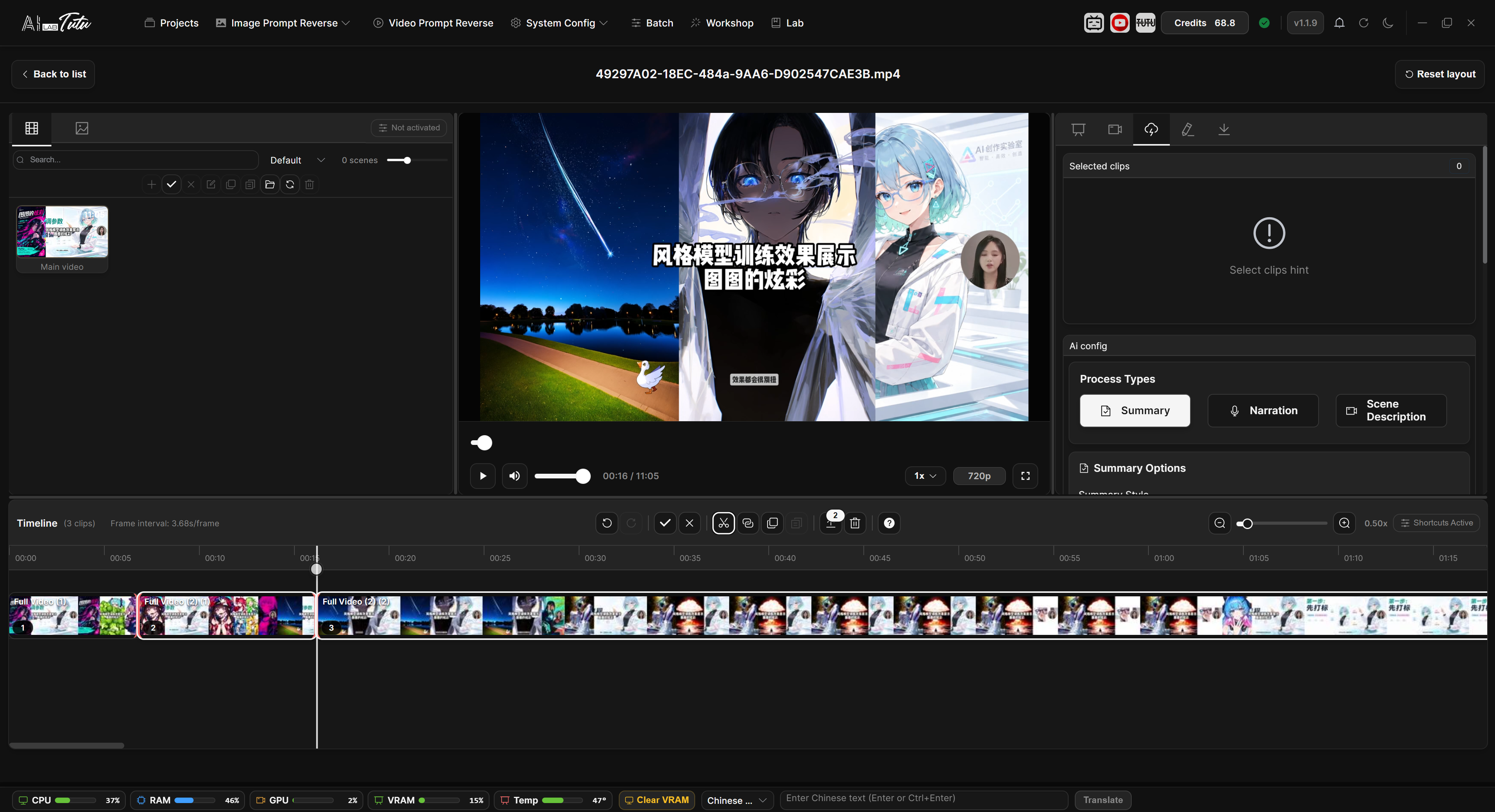
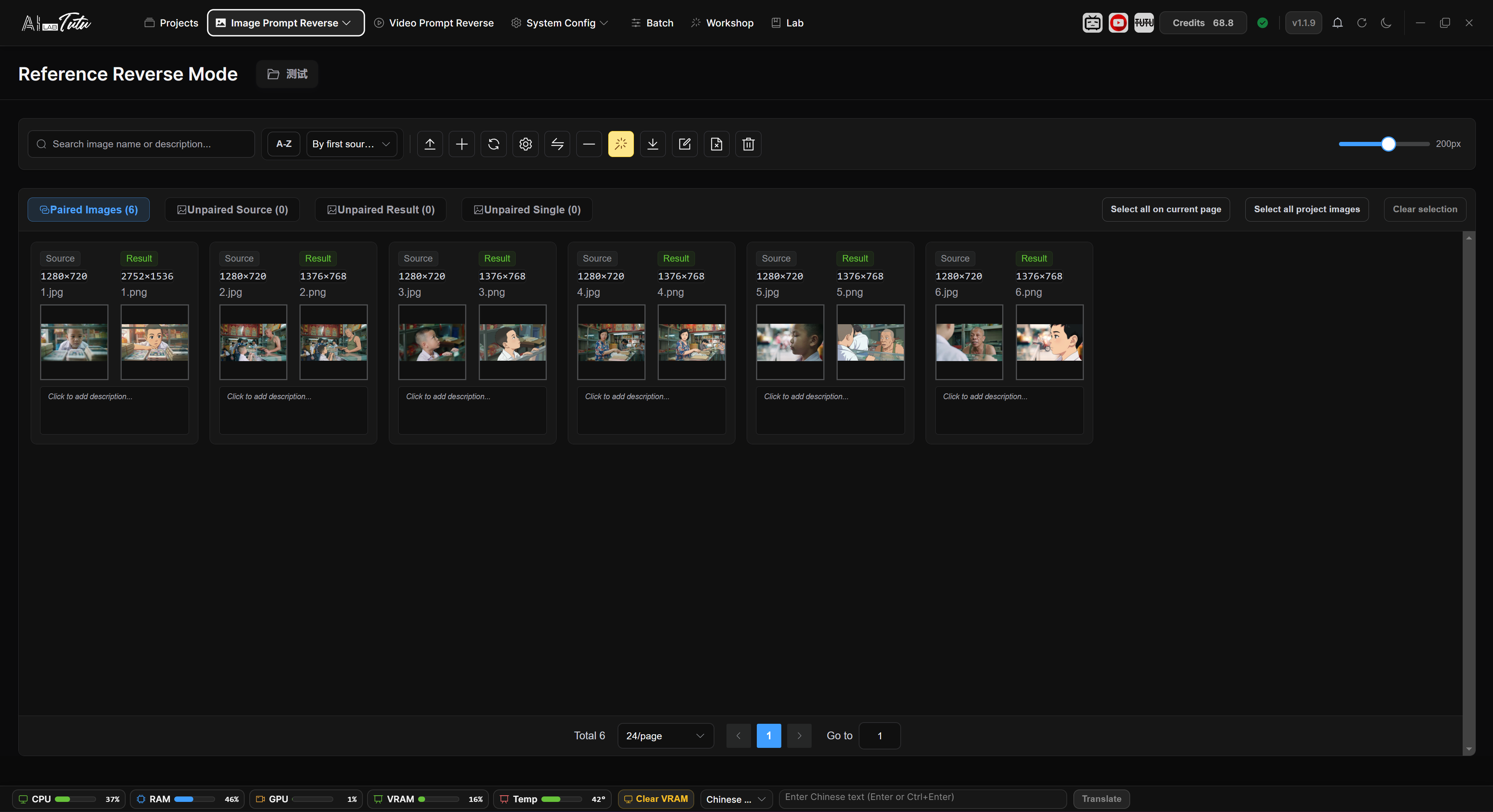
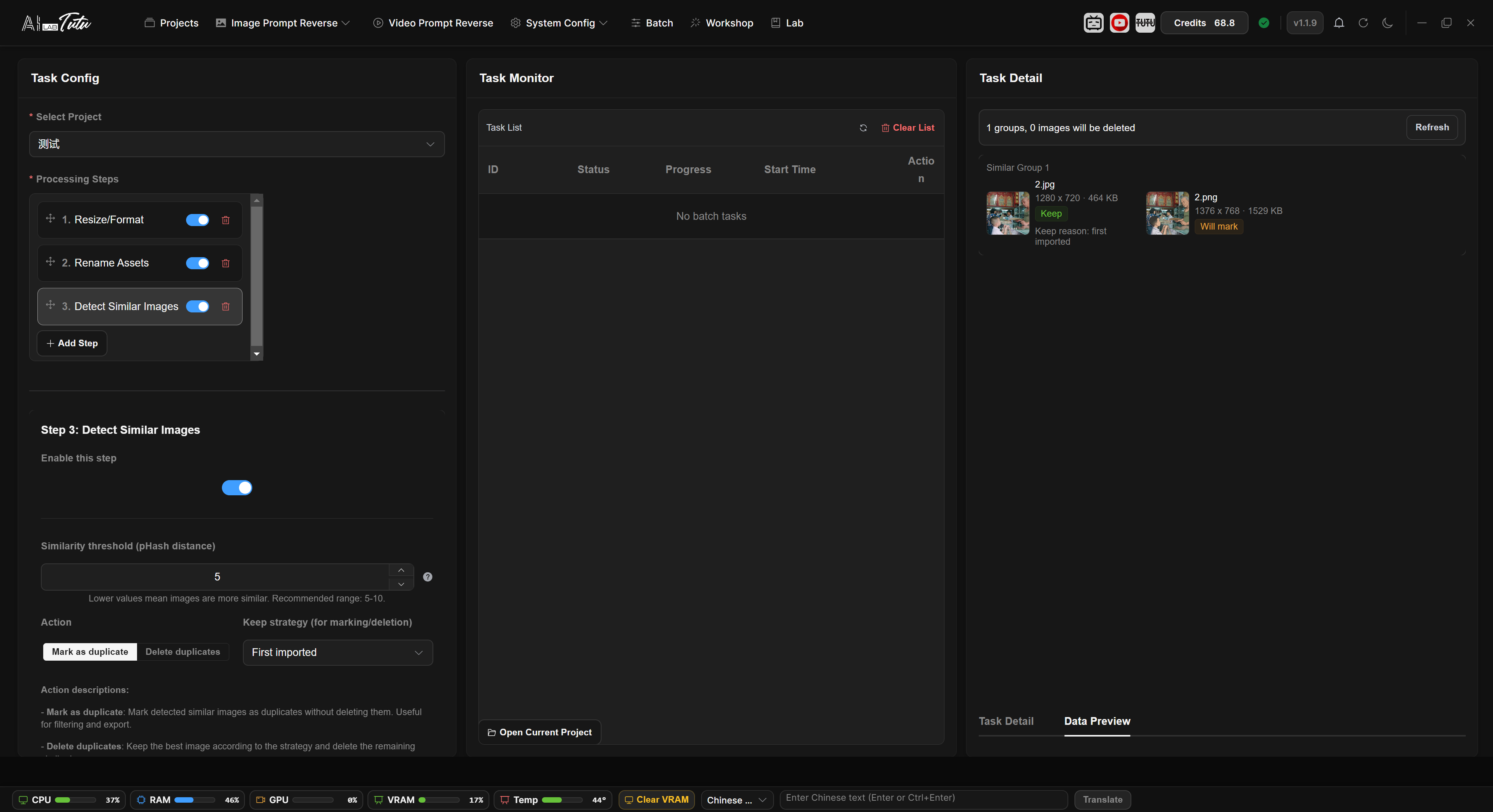
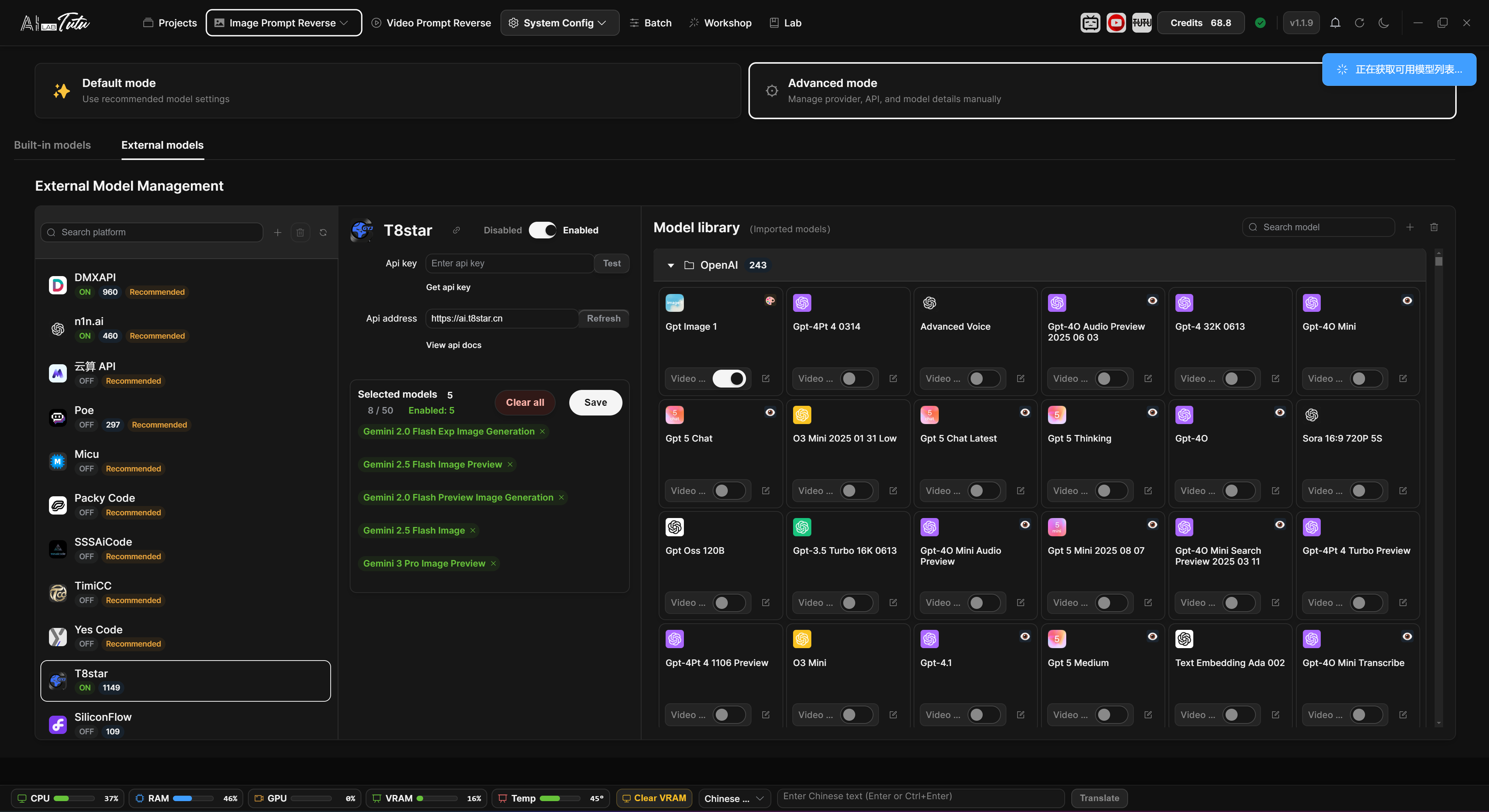
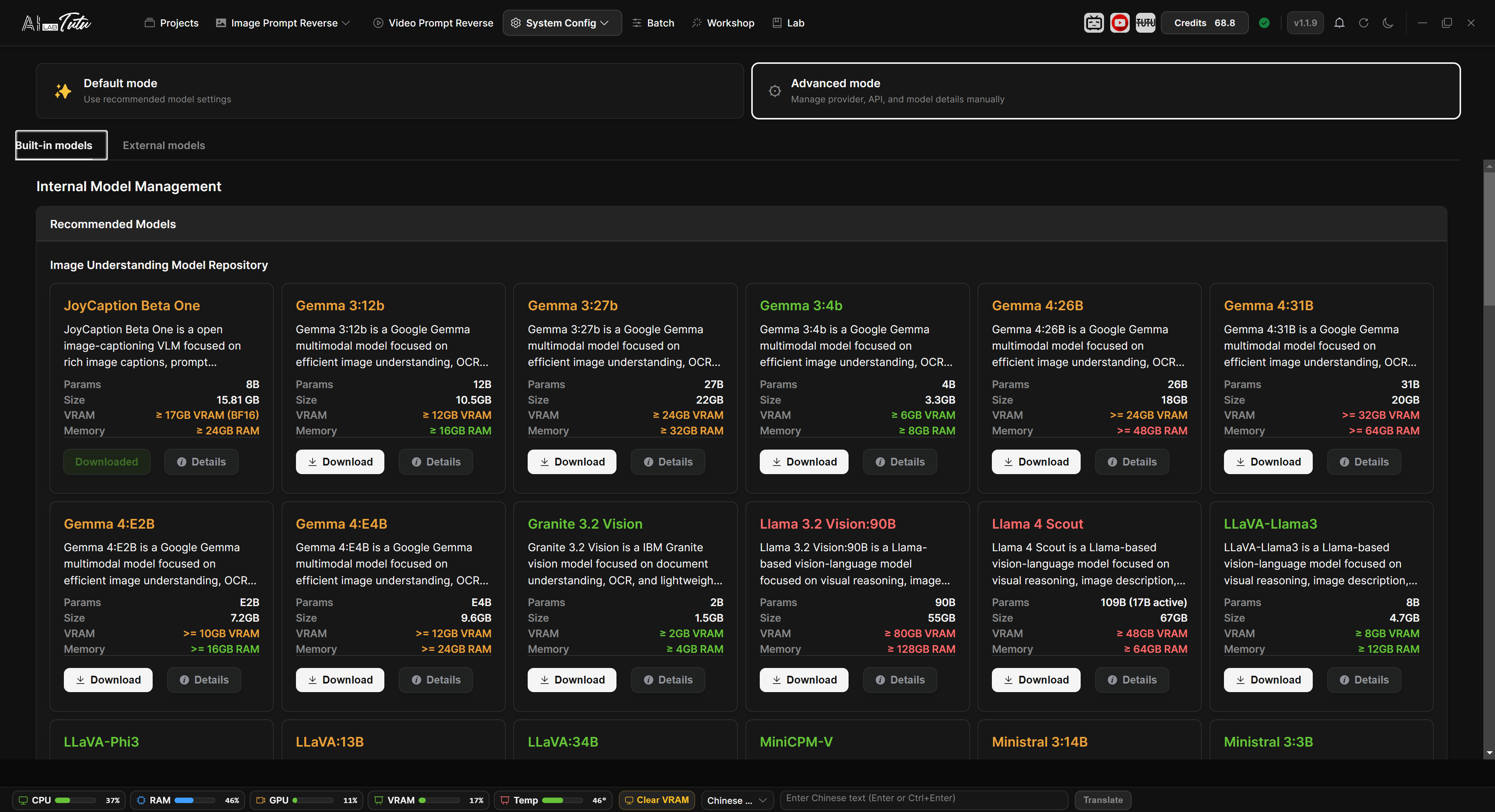
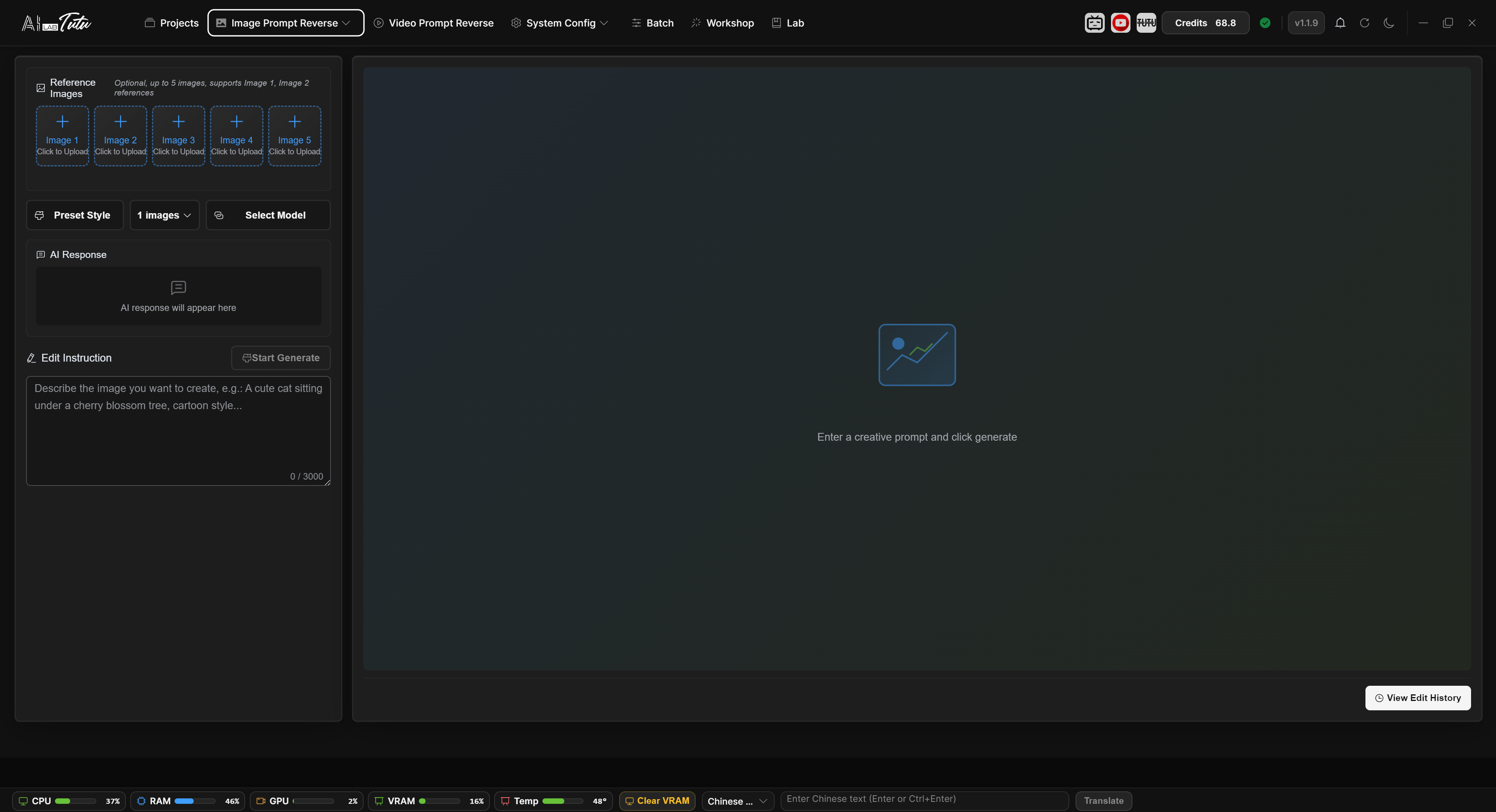
Phrase mode interface Natural language mode interface Video prompt reverse engineering interface Video content assets interface Reference reverse mode interface Batch workflow interface External model management interface Internal model management interface Creative workshop interface
01

Batch reverse prompts for online video

Works with 30+ major global video platforms. Reverse-engineer online videos without downloading them, then generate scene descriptions, summaries, and voiceover scripts for creative reference, asset breakdown, and model training.

02

Batch image prompt reverse engineering

Reverse-engineer image prompts as concise phrases or natural language. Process thousands of images in one run with stable, accurate long-task output.

03

Source-to-result difference prompts

Input up to 10 source images and a result image to describe what changed with precision, useful for editing-model training and specialized scenarios.

04

AI region annotation mode

Generate region annotations with AI or draw boxes manually, then export Region JSON datasets for Ideogram 4 / TutuTrainer with image-level descriptions, elements, and palettes.

05

Smart video element removal

Mark elements in videos you have the right to edit with clicks, boxes, or brush masks. The app generates masks, tracks them across frames, and removes distracting subtitles, watermarks, logos, or other elements.

06

Start without model setup

Default mode requires no local model download or API debugging. Install the app and start reverse-engineering right away with minimal system overhead.

07

Bring your own multimodal models

Advanced mode supports multiple configuration methods and provider formats, so you can connect the multimodal models your task needs.

08

Subject filtering built for LoRA

Specialized filtering adapts prompt output for training datasets, producing captions better suited to LoRA training and stronger results.

09

Batch prompt editing and cleanup

Edit, split, reorder, and organize generated prompts at scale. The neural module keeps thousands of image captions manageable.

10

One-click image preprocessing

Resize and convert images, rename assets, detect similar images, and combine preprocessing steps freely before training.

11

Art creation with top image models

Use leading Image2 generation models with hundreds of built-in art styles for fast high-quality creation and style exploration.

12

Ready-to-use Windows installer

A standard Windows installer: click through setup and start working, with no complicated environment configuration.

Fully Automated LoRA Model Trainer

A free graphical trainer with zero environment dependencies and zero parameter setup

Zero-barrier onboarding, full model support, ready out of the box, rich resources, enterprise-grade stability, and completely free with no tricks or ads.

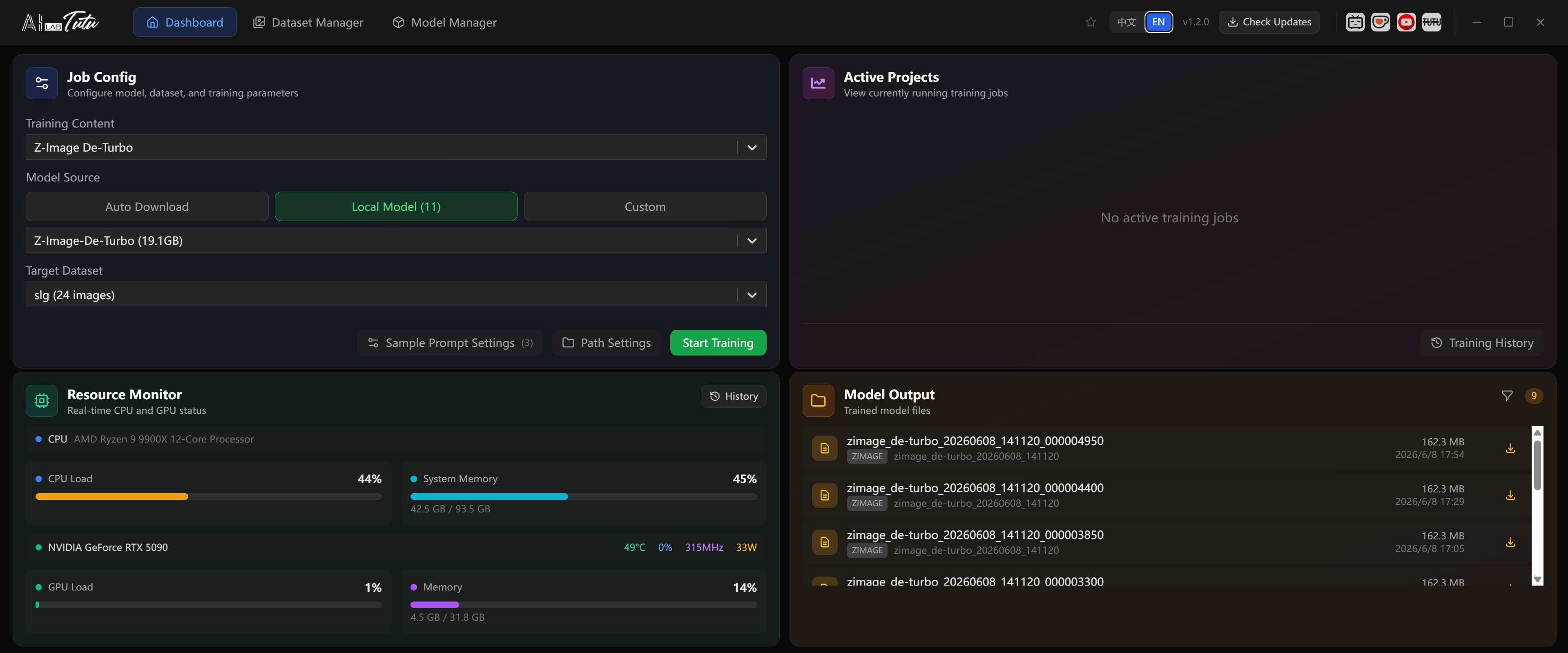
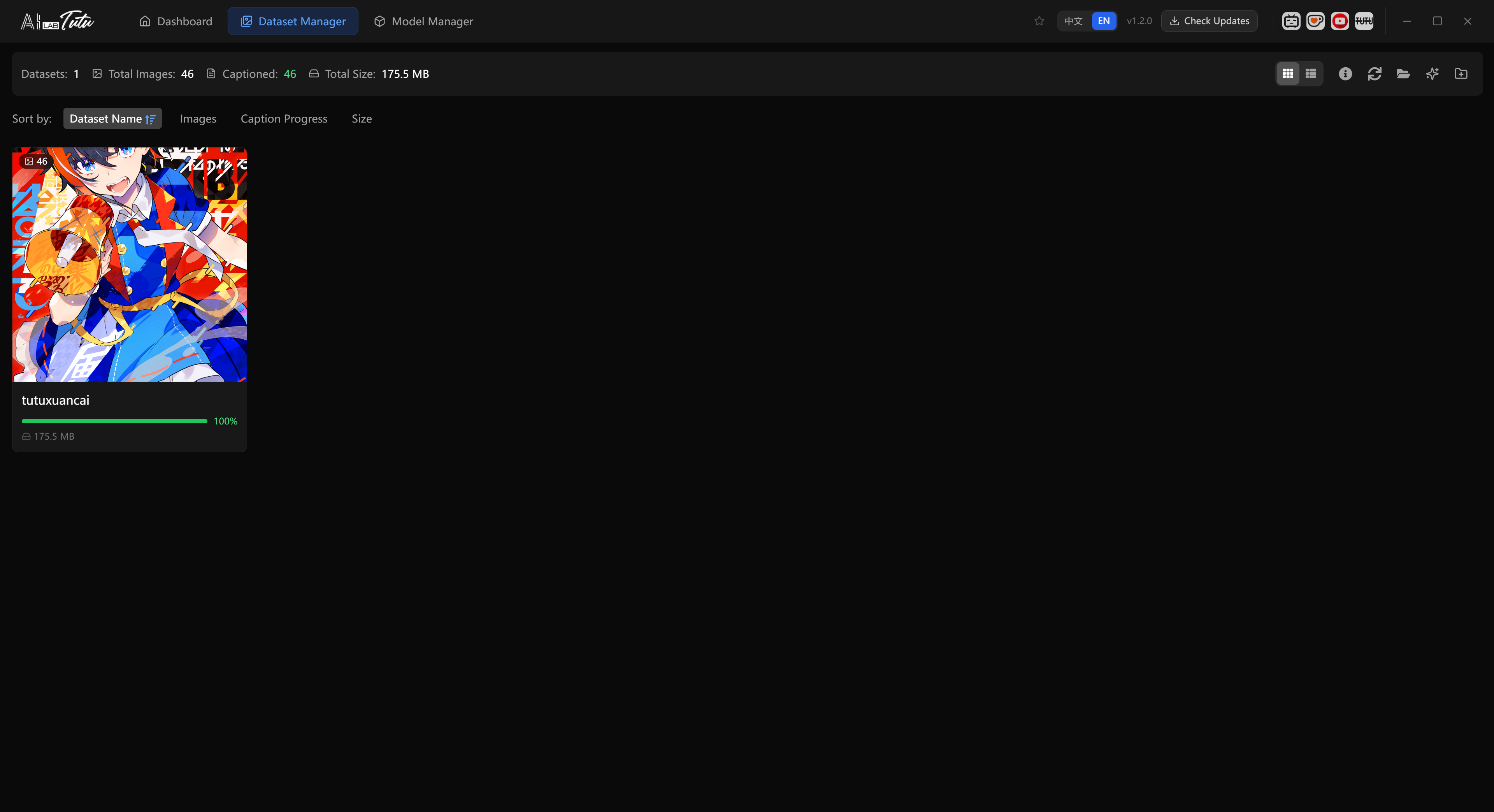
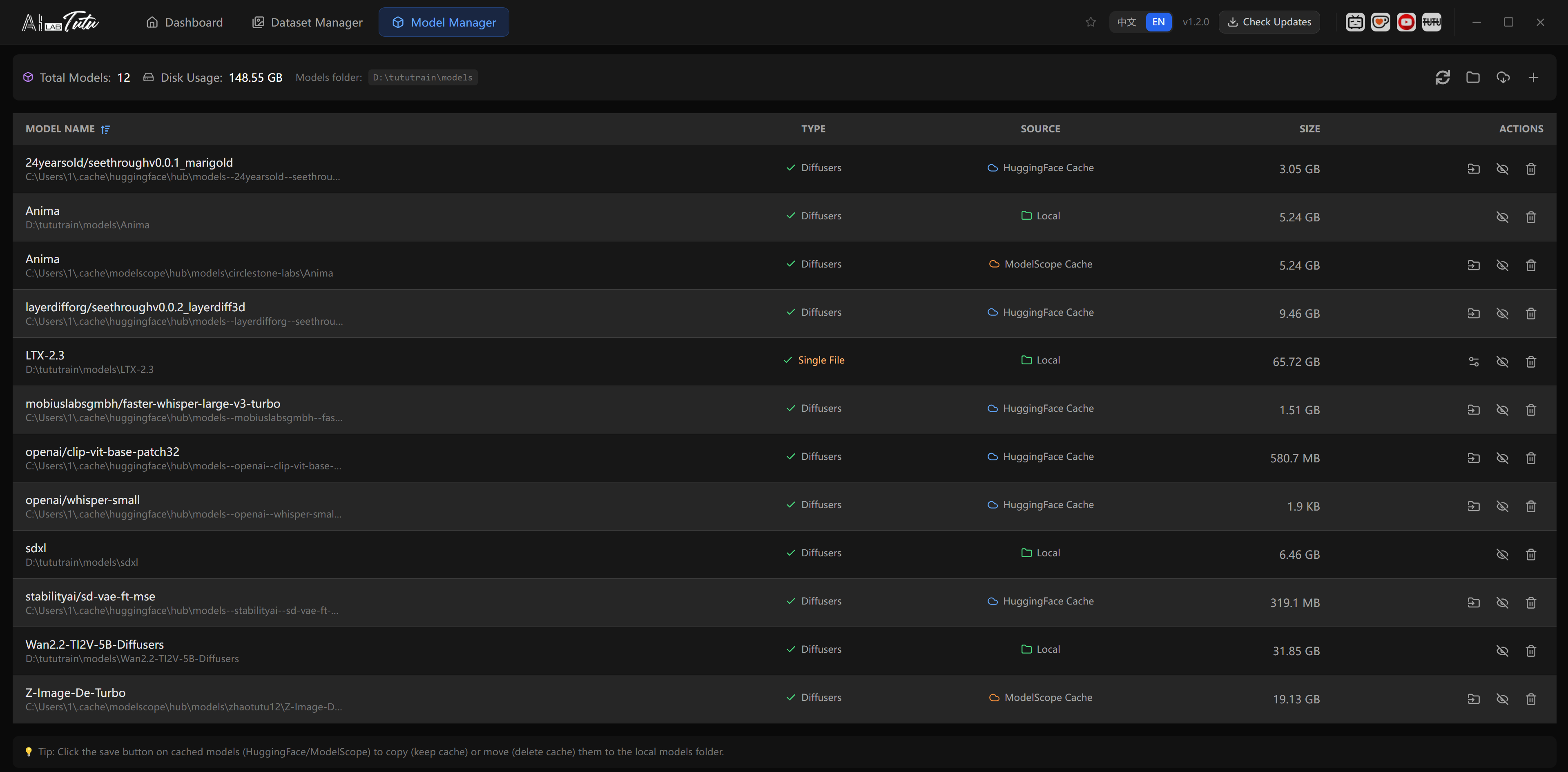
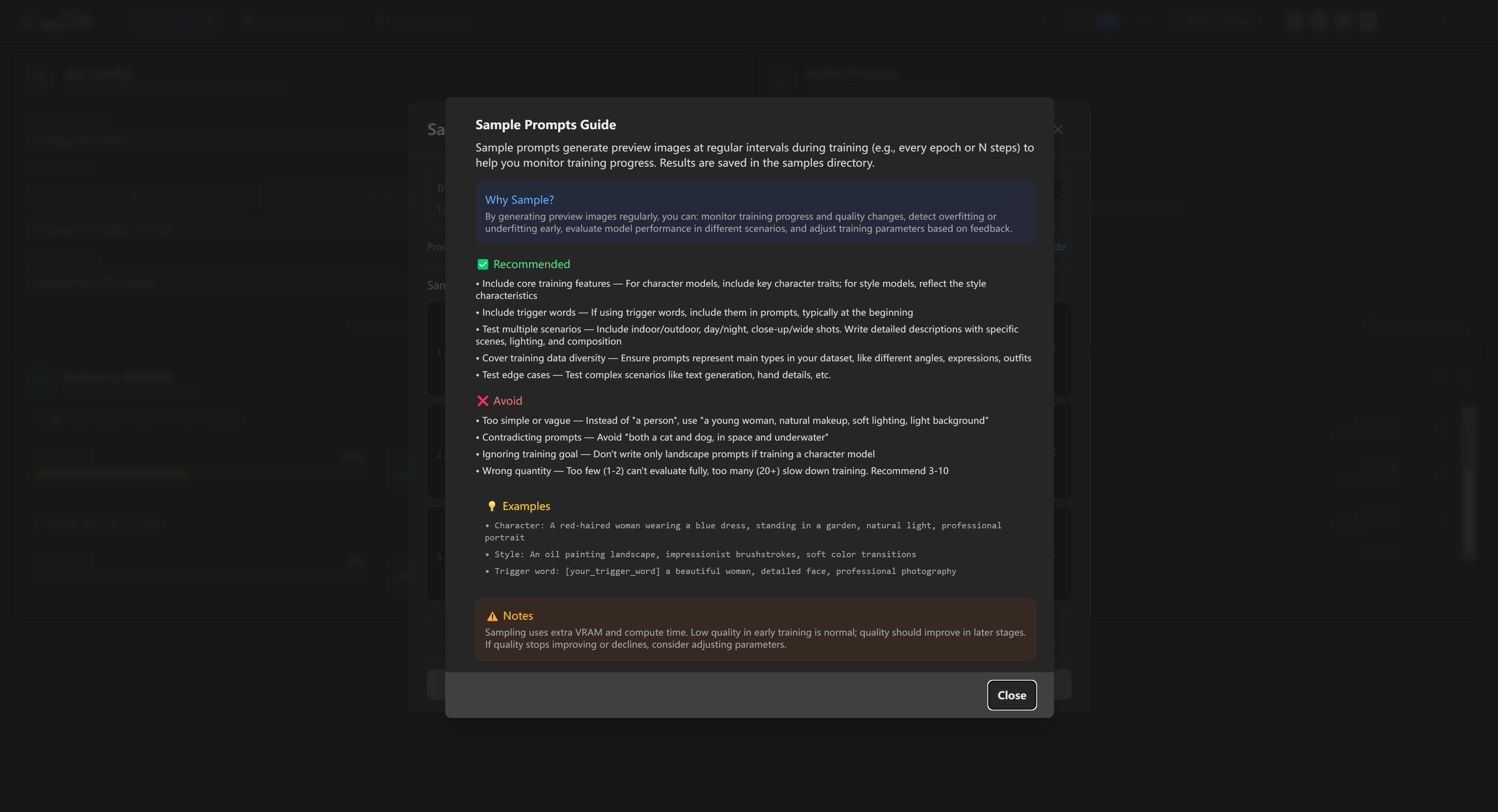
Trainer overview interface Trainer dataset management interface Trainer model resources interface Trainer detailed documentation interface
01

Mainstream model training coverage

Supports common training paths including SD1.5, SDXL, FLUX, FLUX2 Klein, Z-Image, Qwen-Image, Boogu Image, KREA 2 RAW, LTX, and WAN, bringing scattered model-training workflows into one visual workstation.

02

Ready to train without environment setup

No manual Python setup, dependency hunting, or launch-parameter guessing. Use the Windows installer, click through setup, then choose a dataset and model to start your first LoRA training run.

03

Smart parameters and VRAM optimization

Automatically configures training parameters based on hardware, dataset, and model conditions, while optimizing VRAM usage for demanding models so you can focus on materials and results.

04

Tutu timestep training method

Uses Tutu timestep together with optimized training methods and parameters. KREA 2 RAW now has a dedicated Tutu timestep strategy, improving training results with real measurements so outcomes are more stable.

05

Pre-training validation

Checks model architecture, paths, and training content before launch, warning you when something looks mismatched instead of letting a bad run waste time.

06

Live samples and Loss curves

View generated samples, Loss, and learning-rate curves during training, with controls for smoothing and sampling intervals so training status is easier to judge.

07

LoRA-type sampling templates

Prompt templates are organized by training type: characters, clothing, style, objects, and scenes, making it easier to test real-world generalization.

08

Model resources and cache management

Connect resources from HuggingFace, ModelScope, and netdisk links, with cached model saving, single-file conversion, and custom model configuration.

09

Clearer task state

Training cards show elapsed time, estimated remaining time, logs, and key status, so long-running jobs are easier to understand and monitor.

10

Continuous updates and stable delivery

Built-in auto updates, package integrity checks, improved logs, and clearer error messages reduce uncertainty during installation, upgrades, and training.

Tutu Video Publisher

Upload once, auto-complete titles, copy, and covers, then publish to major platforms worldwide

A multi-platform video publishing tool built for self-media creators. Built-in AI autocomplete automatically generates all publishing assets and eliminates repetitive work.

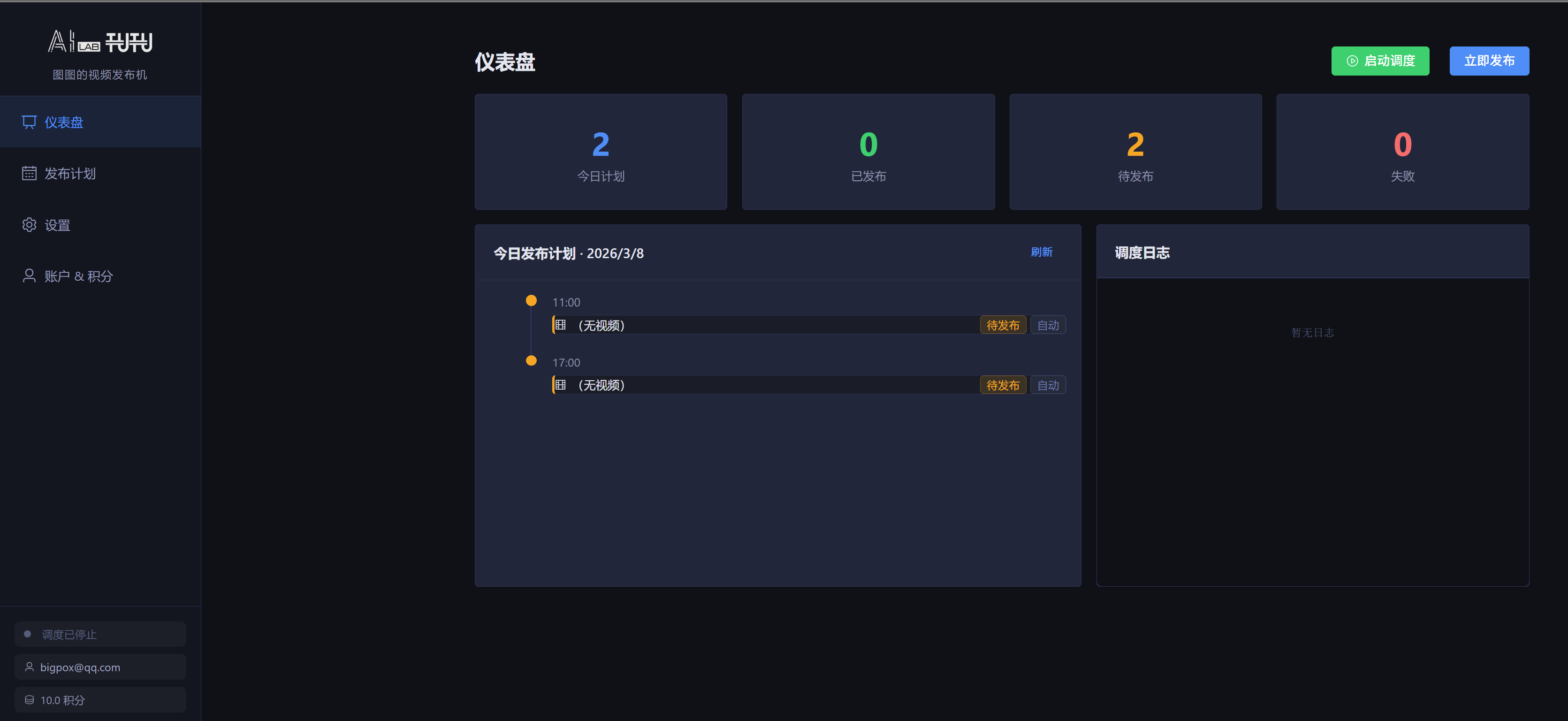
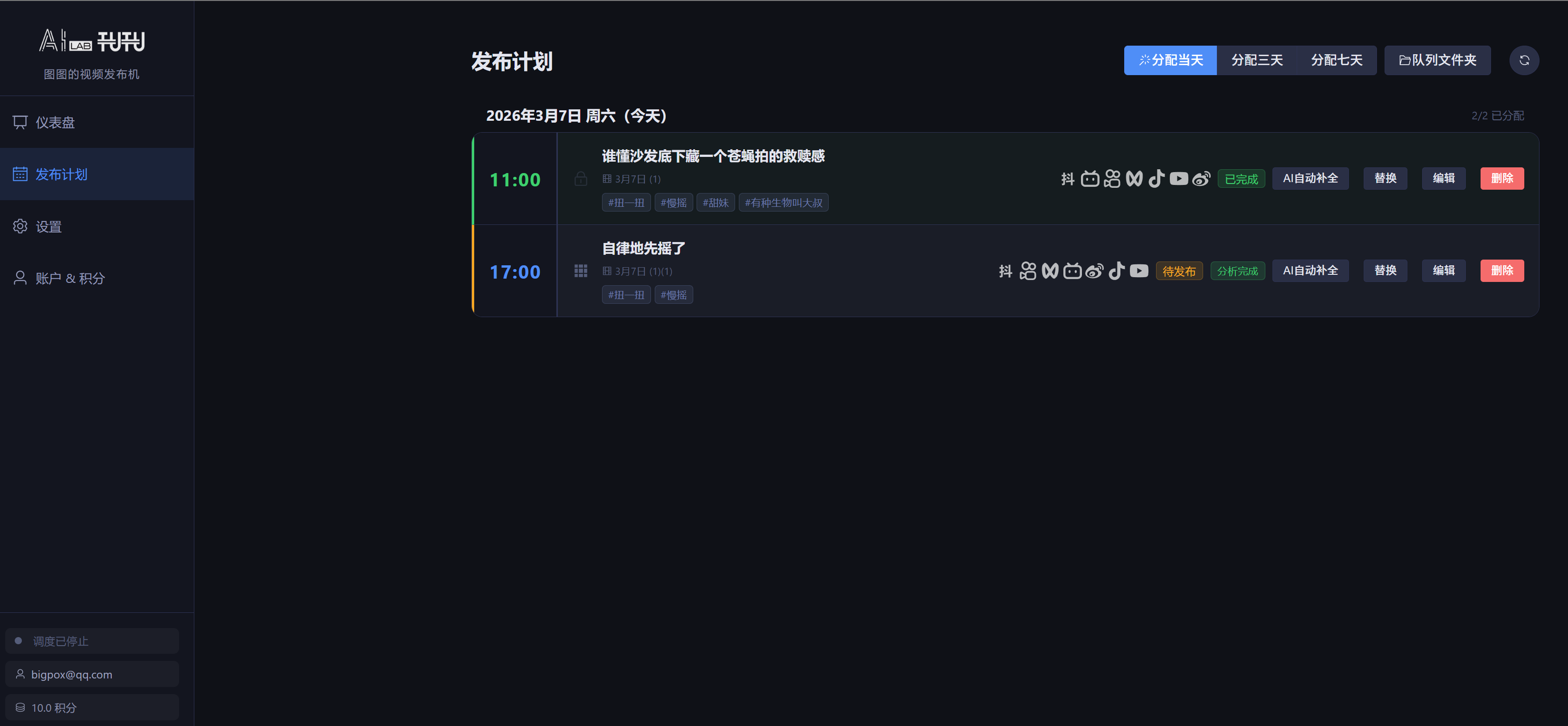
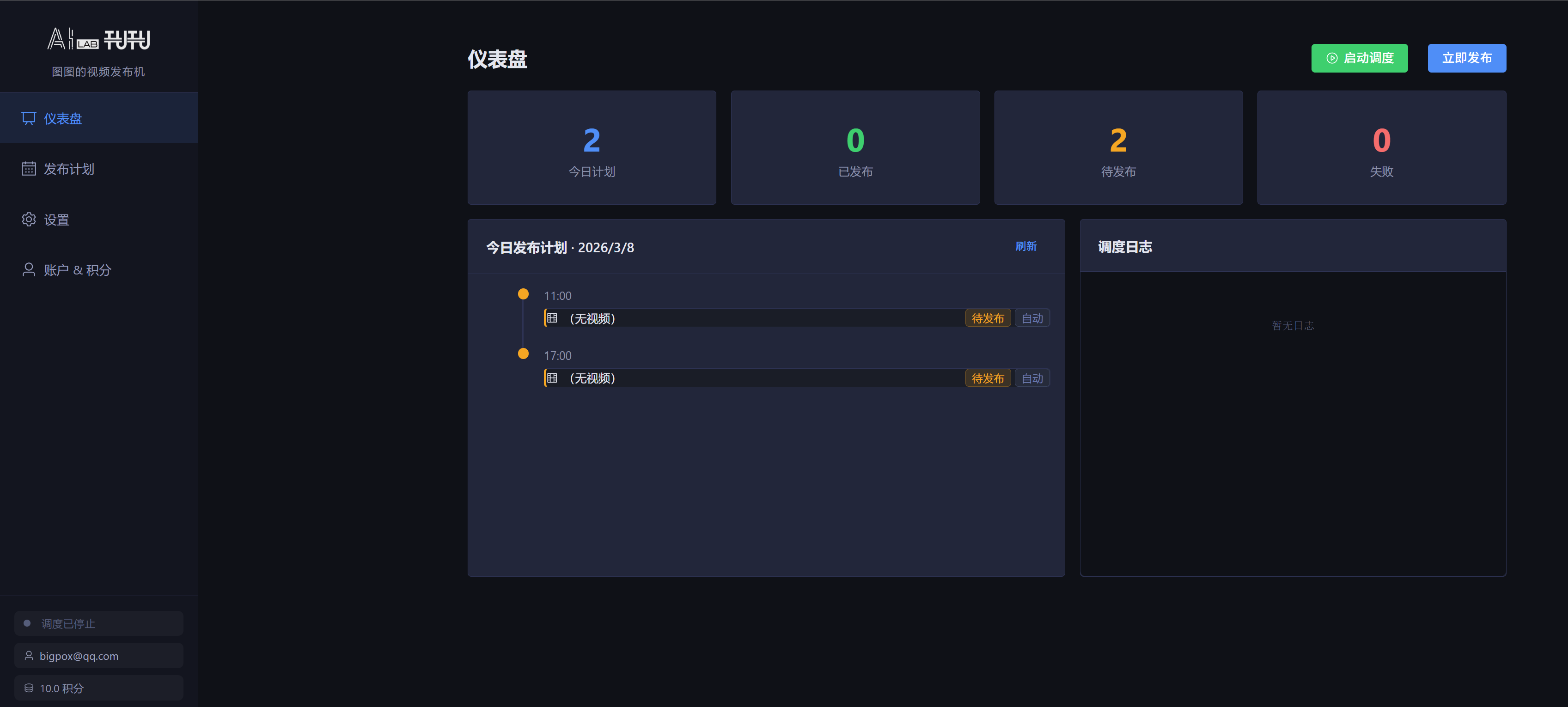
Video publisher dashboard Video publisher platform settings interface Video publisher schedule plan interface
01

Unified publishing to global platforms

Publish one video to major channels including Douyin, Kuaishou, Bilibili, WeChat Channels, TikTok, YouTube, Weibo, Baijiahao, and more from one workflow.

02

Multi-account management and account groups

Add multiple accounts per platform, verify status, switch active accounts, and change account groups in one move for matrix and multi-brand operations.

03

Timeline-based publishing plans

Manage daily publishing slots by time, with clear pending, completed, failed, and skipped states so the content calendar is easy to scan.

04

Video queue and automatic assignment

Supports common formats such as mp4, mov, avi, and mkv. Queued videos can be assigned automatically to today or future empty slots for easier batch scheduling.

05

AI-generated platform-specific copy

Generate titles, descriptions, tags, and keywords from video content, with separate language and title-style options for domestic and overseas platforms.

06

Three ways to trigger AI completion

Run automatic pre-analysis when videos enter the queue, trigger completion manually for a single plan, or let the app fill missing copy and covers before publishing continues.

07

Cover workshop and cover versions

Regenerate covers for selected platforms with custom descriptions, reference images, and video understanding, then switch between historical cover versions.

08

Title workshop, tag library, and description templates

Create multiple candidate titles for a platform, reuse saved tag groups, and apply templates for brand text, copyright notes, and fixed phrasing.

09

Retry failed posts and monitor status

The dashboard shows today’s plans, AI progress, failed items, and operation logs, with retry options by platform or by scheduled slot.

10

Free publishing, AI only when needed

Publishing features are free when AI completion is not used. AI analysis consumes credits by video length after completion, and failed analysis is not charged.
Tutu and Her Friends

Real paid users of the Image & Video Prompt Reverse Engineer, including familiar creators across the AIGC community.

Loading AI Lab friends...

My Multimedia Resources

Video tutorials and product demos voluntarily published by users across major platforms

TrainDownload and Anima training workflow with Tutu Annotator

T8star-Aix · YouTube tutorial

Watch on YouTube

Anima update with reverse prompting, model editing, and style training

T8star-Aix · YouTube tutorial

Watch on YouTube

AI creator livestream with Tutu and the community

AIwood Lab · Community interview

Watch on Bilibili

Tutu Trainer: an AI model trainer that is friendly for beginners

乔治-周士诚 · Product demo

Watch on Bilibili

Tutu Annotator tutorial: batch prompt reverse engineering for images

乔治-周士诚 · Video tutorial

Watch on Bilibili

Beginner-friendly cyber furnace setup with a Chinese interface

豹豹喵呜 · Video tutorial

Watch on Bilibili

More Productivity Tools

Fully open source, free to use, download from GitHub

Pricing Plans

Choose the plan that fits you and unlock all features

Tutu Video Publisher · AI Credit Packages

Publishing features are always free · AI autocomplete is billed by credits · Please recharge inside the software

20 credits
$2.90
$0.15 / credit
30% off
200 credits
$16.90
$0.08 / credit
40% off
1000 credits
$69.90
$0.07 / credit

Please recharge credits from the "Account & Credits" page inside the software. New registrations receive 10 trial credits.

Intelligent Image & Video Prompt Reverse Engineer · Subscription Plans

Choose a payment method and receive an activation code after payment

Monthly

$ 5.90 /month
  • Unlock all features
  • Continuous updates
  • Technical support
Buy now
Best value

Yearly

$ 36.90 /year

$3.08 / month on average

  • Unlock all features
  • Continuous updates
  • VIP technical support
  • Early access to new features
Buy now

After purchase, you will receive an activation code. Enter it in the software to activate.

Look up existing activation code

Documentation

Detailed product tutorials and answers to common questions

Contact Tutu

Questions? Contact us anytime